Posts

Shiny pencil with Inkscape
Image
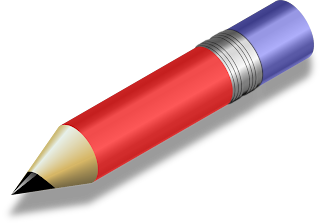
Here is another nice screencast from Heathenx. I think it gives a very realistic effect. I was particularly with the technique for copying metal shine into a multi stop gradient. Instead of using the photoshop image like Heathenx I got a photo of a real steel cylinder from Google. Very handy technique going forward. Here is my effort: Not quite as elegant as the tutor, but not a bad first effort I don't reckon.

Rusty sign in Inkscape

Image
Here is a good screencast showing a rust effect in Inkscape. A little help from Gimp is required to make some clouds for masking. There were not too many steps in this one. This is my effort. I am quite pleased with this. Bit blingy perhaps, but that could be toned down with less spotlights (if any). A couple of good graphics sources on the web were pointed out during the cast. The first is for nice open source type faces. These are available here . The second is for a good source of textures . This is not something I have worked with before, but I reckon it could be a very powerful way to get realistic effects with less effort. Drawing rust from scratch would be hard to impossible to pull off.

Inkscape icepop tutorial

Image
Here is a very good tutorial by Heathenx on drawing an icepop with Inkscape. Its a bit long, but it shows how to make very nice hilights on an object very simply. Here is my effort. Not quite up to his standard, but not too bad I don't think. Well the shadow is a bit sinister, but I was running out of time :)

Some good Gimp video tutorials

I have been spending some time learning Inkscape so that I can create images for my Android apps. There's often a need to modify photographs - buildings, people, products, so that they can be used in an app. To this end I am going to try get to grips with the Gimp . I have fiddled with this before, but never put the time in to get comfortable with it. My Inkscape learning is far from over, but I am going to do the 2 of these in parallel for the next while. This is the first one I tried out. Just a basic look around setting up your environment. There is a good bit of info at the start about upcoming versions of Gimp. As a newbie this is not relevant to me, so I just skipped on until I saw the freshly started Gimp UI.

Making a simple wallpaper with Inkscape

Image
Here is another good screencast on using Inkscape. This is my effort. Not as good as his, but I don't think it's too bad at all. Not sure what I would use this for though...

Using the chrome filter in Inkscape

Image
Here is another good screencast from HeathenX. So far they have all been worth watching. Now I need to think of somewhere within one of my Android apps to use this without making it look too tacky :) Here is my result having followed the tutorial.

Fake tilt and shift with Inkscape

Image
This is not exactly Android stuff. Another Inkscape screencast . This one is good too and produces a nice effect with the right photograph to start. I am telling myself that is the reason why mine does not look as good as his, but in my defence I did take my photo myself - Heathenx got his off someone else ;)